Retrieve Recently Deleted Computer from Active Directory
Open the domain controller and login
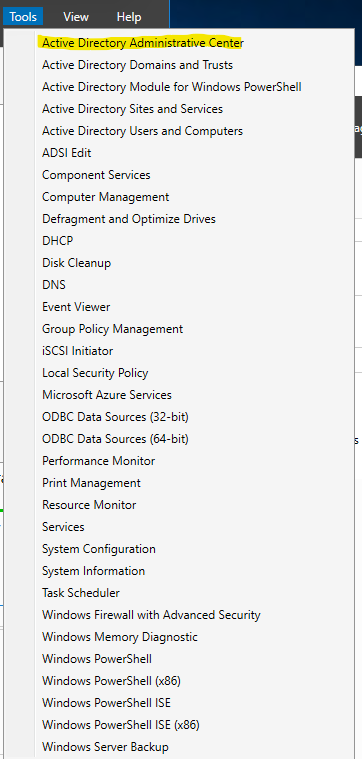
In Server Manager, Select Tools and select what should be the first option, Active Directory Administrative Center
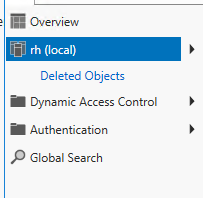
On The left Panel in the Administrative Center Pop-up, click on “Deleted Objects” under “rh (local)". Might have to select the "Deleted Objects" folder after clicking on "RH local" when doing it the first time.
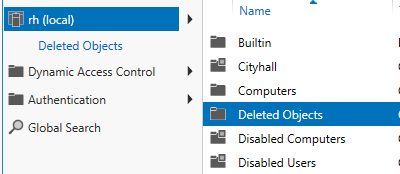
Right click the device you would like to recover and select “Restore”.
I believe they only last 90 days, on what I am seeing in the system, but am not 100% sure.
Was this article helpful?
That’s Great!
Thank you for your feedback
Sorry! We couldn't be helpful
Thank you for your feedback
Feedback sent
We appreciate your effort and will try to fix the article