
MIS Department Policy & Procedure
Reenabling a Disabled Computer
Background
We are now disabling computers automatically if they have not logged in after 6 months. This task takes place every Thursday at 1:00am via PDQ Deploy on Spicy. The name of the package is “Disable Inactive Computer Accounts”.
If a person tries to log on from a disabled computer, this usually results in a “trust relationship error”.

If a computer needs to be reenabled, follow the procedure below.
Procedure
Open “Active Directory Users and Computers”
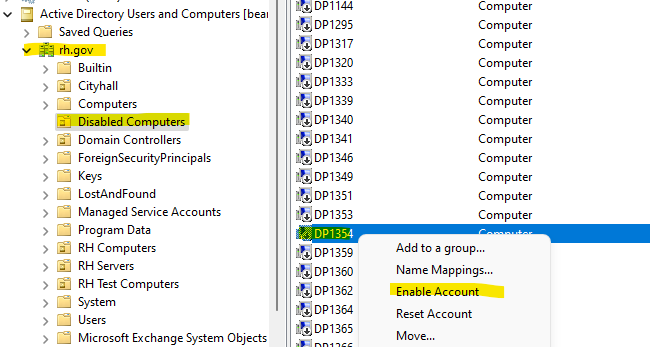
Navigate to rh.gov and then “Disabled Computers”. Find the computer and right-click. Select “Enable Account”.
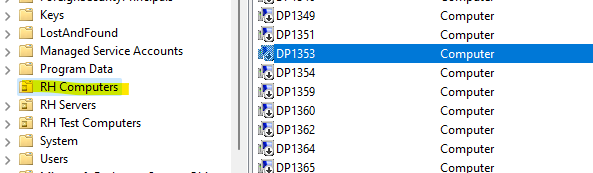
Now, move the computer back to the “RH Computers” group.
Have the user reboot the computer and retry logging in.
Was this article helpful?
That’s Great!
Thank you for your feedback
Sorry! We couldn't be helpful
Thank you for your feedback
Feedback sent
We appreciate your effort and will try to fix the article