
MIS Department Policy & Procedure
Introduction
This guide will show you how to add a new user in Duo. Duo users are synced from Active Directory to Duo in the cloud.
Details
To add a user to Duo, you must start by adding them to the appropriate group in Active Directory. All Duo users are placed in a security group with a three letter department code prefix and a “Duo” suffix (i.e. DatDuo).
The groups are synced from the “Duo Security Authentication Proxy” software installed on COLPOTTER
Once the user has been added to the correct Duo group for their department, perform a manual sync to Duo.
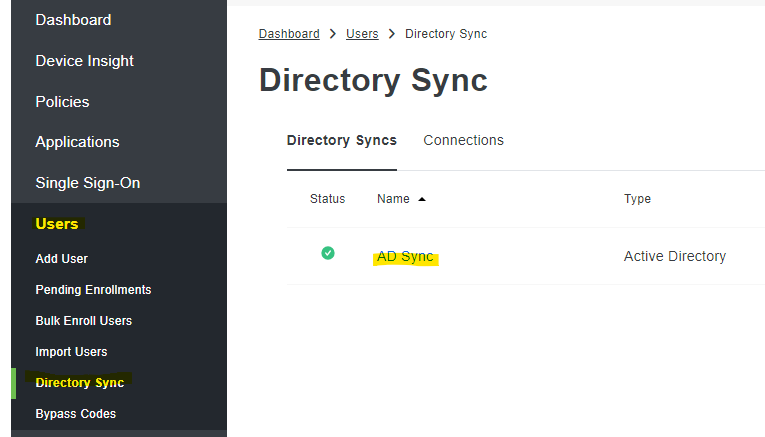
Log into the Duo administration console and navigate to “Users” -> “Directory Sync”. Then, click “AD Sync”.
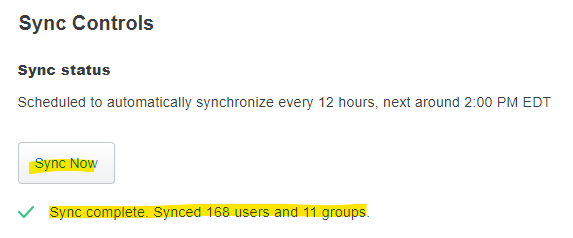
Now, click “Sync Now” to sync your new user. It will display the status of the sync:
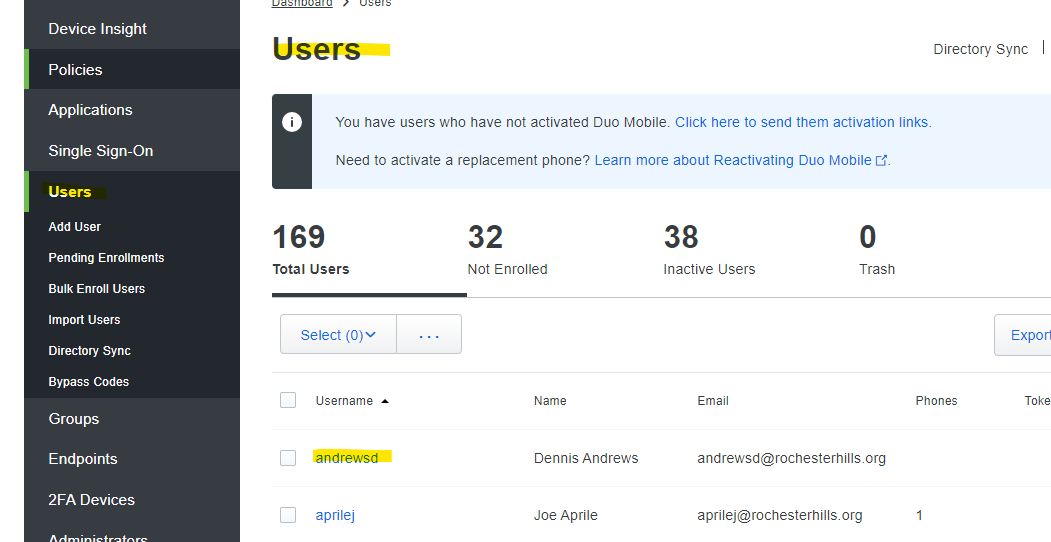
You should now see the user listed under the “Users” list in Duo:

Was this article helpful?
That’s Great!
Thank you for your feedback
Sorry! We couldn't be helpful
Thank you for your feedback
Feedback sent
We appreciate your effort and will try to fix the article