
MIS Department Policy & Procedure
Introduction
This guide will show you how replace a user’s phone in Duo. The most common scenario is that the user has upgraded their phone or replaced a lost/stolen phone.
Details
Log into the Duo administrative console here.
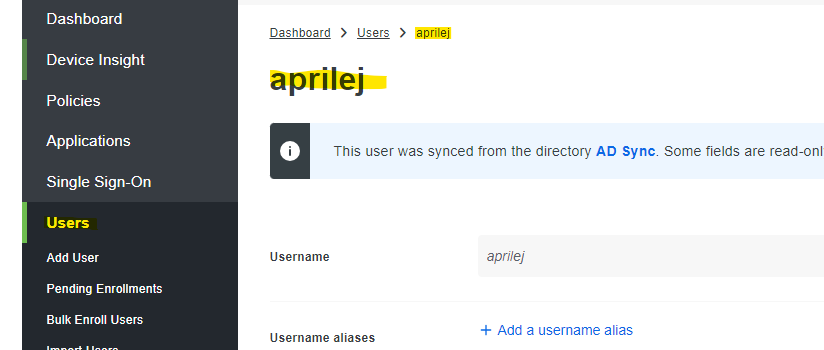
Click Users, then select the username.
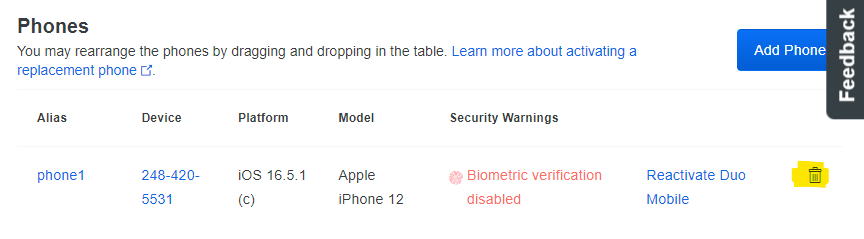
Scroll down to the “Phones” section. Click the trashcan icon next to the old phone to remove the phone from their account.
Now, scroll back to the top and click “Send Enrollment Email”.
Refer the user back to the instructions here in order to complete enrollment of the new phone.

Was this article helpful?
That’s Great!
Thank you for your feedback
Sorry! We couldn't be helpful
Thank you for your feedback
Feedback sent
We appreciate your effort and will try to fix the article