Canon Large Scanner/Plotter in Engineering
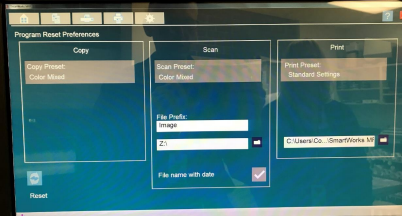
The Z: drive is mapped to save scans to J:\Project\Internal\LargeScans
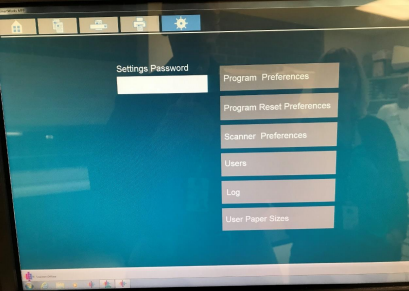
If the scans are not being saved in the above drive, check the following settings on the scanner touch screen:
10/23/2017
Was this article helpful?
That’s Great!
Thank you for your feedback
Sorry! We couldn't be helpful
Thank you for your feedback
Feedback sent
We appreciate your effort and will try to fix the article