
MIS Department Policy & Procedure
Is now set up as an IP printer for both users in the Sign Shop
IP address: 172.020.007.007
Printer is set up in the Flexisign software and DOES NOT appear in the Printers & Devices listing.
Basic IP printer setup in Flexisign:
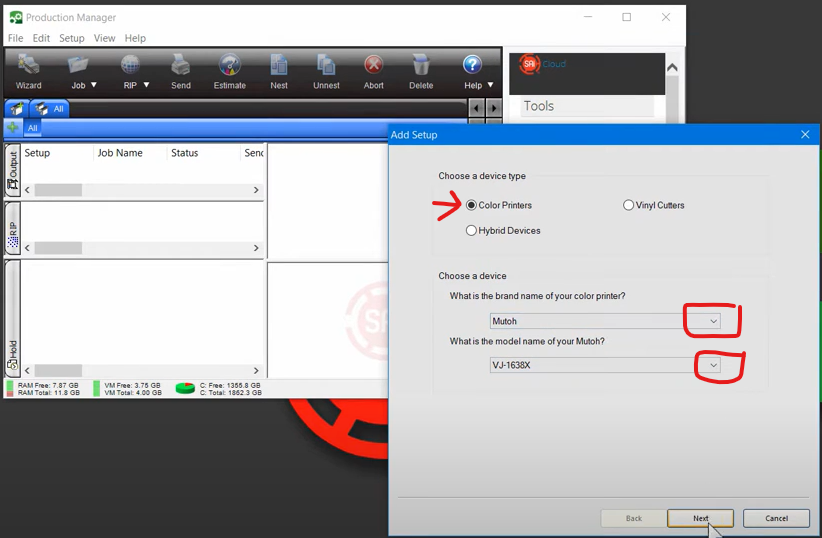
Open Production Manager
Choose the Setup tab
Choose Color Printers
Choose the brand name from the dropdown
Choose the model number from the dropdown
Click Next
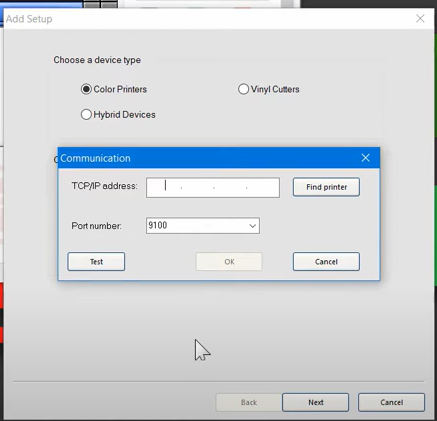
Enter the printer IP address and leave Port number as default 9100
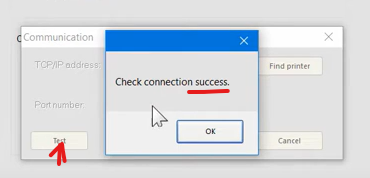
Click Test to make sure it’s connecting
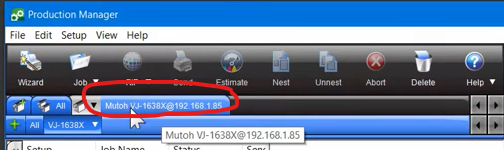
The printer will appear in a new tab at the top of the program
Other Settings:
This does not include other settings that deal with colors, fonts, etc. The Sign Shop staff will need to enter that information. We do not manage their settings.
Was this article helpful?
That’s Great!
Thank you for your feedback
Sorry! We couldn't be helpful
Thank you for your feedback
Feedback sent
We appreciate your effort and will try to fix the article