Installing Quick Fields (and Uninstalling Quick Fields)
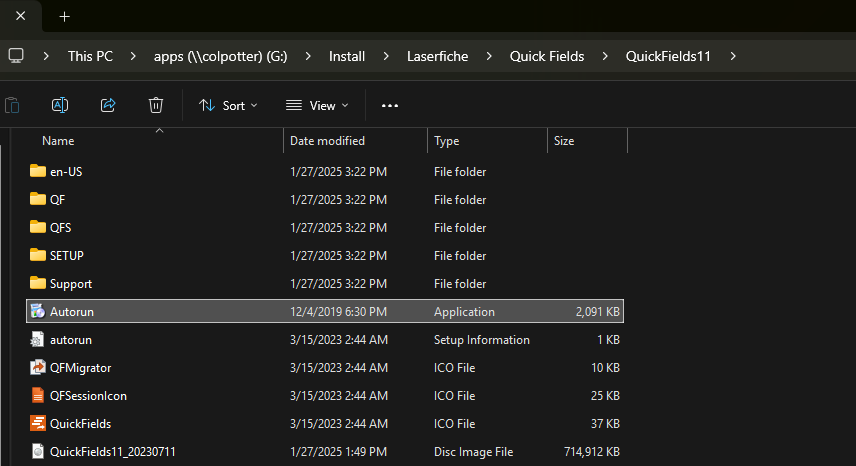
Go to the following file path and run “Autorun.exe”
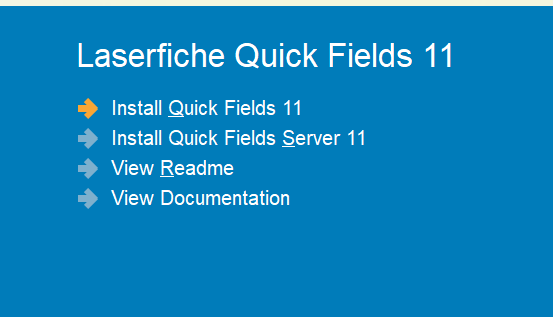
Select install quick fields 11
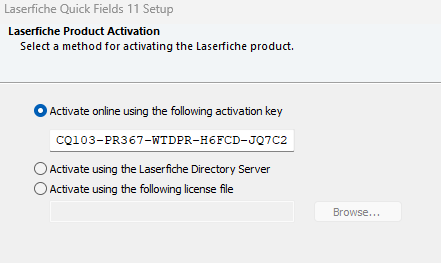
Use the following activation key
CQ103-PR367-WTDPR-H6FCD-JQ7C2
Continue and complete the install with default prompts.
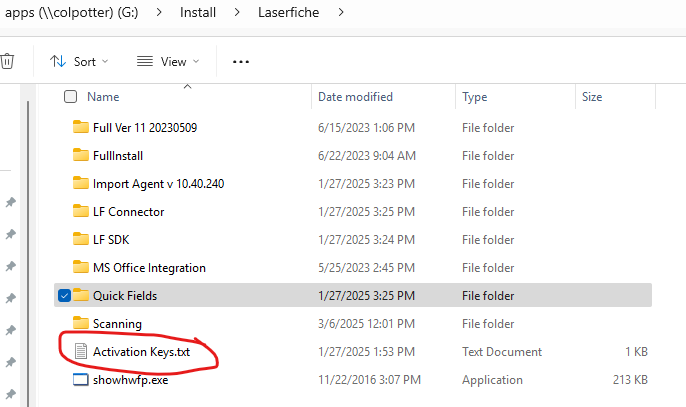
Key was found here:
Uninstalling Quick Fields
When uninstalling Quick Fields, since we only have a limited amount of licenses, go to the following link below:
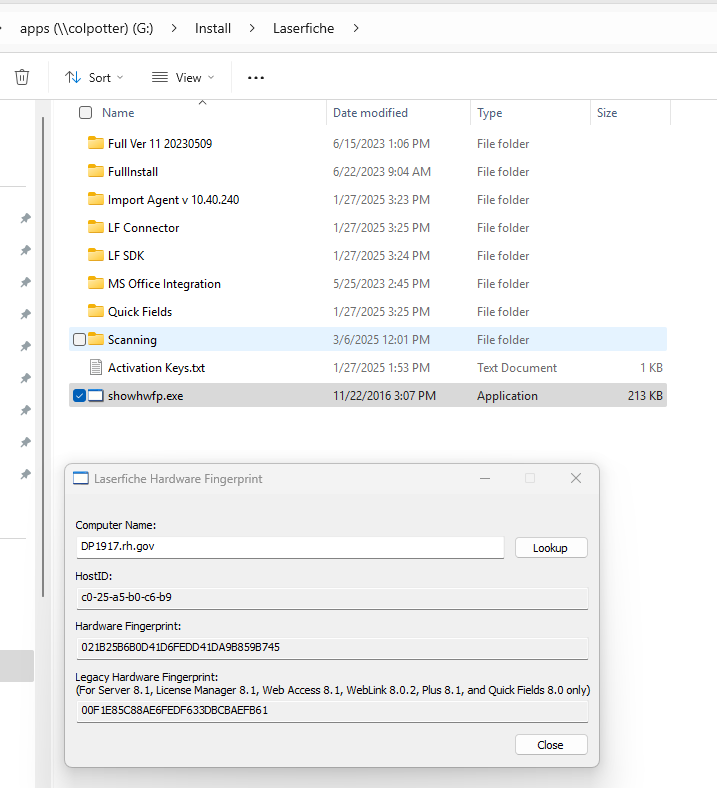
Open the file path in the screenshot below, open showhwfp.exe, “lookup” the DP name in the correct format (Example: “DP1762.rh.gov” and screenshot the results. Send that screenshot to LFSupport@icc-cds.com so that they can remove the license.
Was this article helpful?
That’s Great!
Thank you for your feedback
Sorry! We couldn't be helpful
Thank you for your feedback
Feedback sent
We appreciate your effort and will try to fix the article