
MIS Department Policy & Procedure
License allows five installs
Install from G:\Install\Openapps\TraxPro
Serial No: E8A2-5P32-BVJV-9169-2036
Take defaults
Error Installing/Uninstalling
If you run into trouble installing or uninstalling and receive an "Error extracting support files: Catastrophic failture" message, do this:
Delete the folder C:\Program Files (x86)\InstallShield Installation Information\{51D382E1-5631-11D5-9D1C-00010239438D} then rerun the installation.
Installshield Installation Information might be a hidden folder so you will need to set your folder options to “See hidden files and folders.”
Uninstall Issues (Oct 2021):
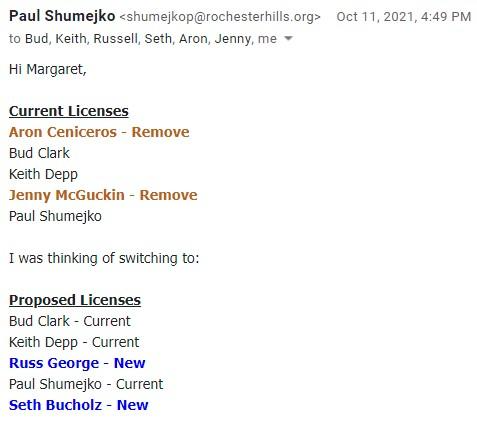
Needed to uninstall from McGuckin and Ceniceros; wasn't working even with above instructions. Computers are due for replacement. Not worth troubleshooting with vendor, especially since they're not supporting this version of the software any longer. (Shumejko is aware of this, but has chosen not to upgrade to the newer software until it stops working with current hardware. (See email request below.)
Was this article helpful?
That’s Great!
Thank you for your feedback
Sorry! We couldn't be helpful
Thank you for your feedback
Feedback sent
We appreciate your effort and will try to fix the article