
MIS Department Policy & Procedure
PastPerfect Museum Software Installation
In order to install PastPerfect 5, PastPerfect 4 must be installed and then upgraded.
The installers are located here: “\\colpotter\Apps\Install\mistools\PastPerfect - Full Install”
First, “PP40e2Setup.exe” needs to be run, followed by “PP5Upgrade.exe”.
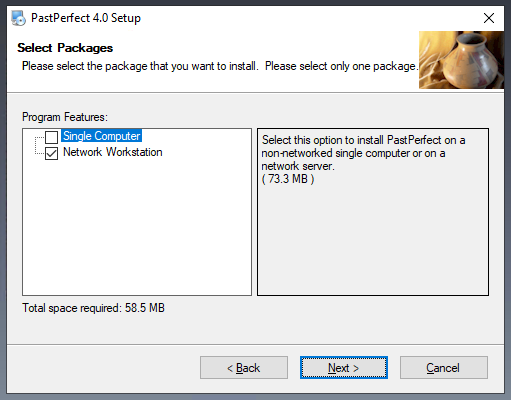
When running the installers, make sure to choose “Network Workstation”, rather than “Single Computer”. All other options can be left as their defaults.
Once PastPerfect 5 is successfully installed, PastPerfect 4 can be uninstalled.
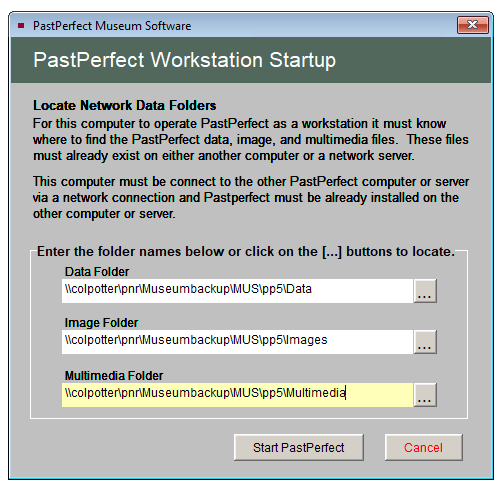
Upon running PastPerfect 5 for the first time, it will ask you for the network data location. See below for the correct paths. Be aware that you may need to mount \\colpotter\pnr\Museumbackup as U:, rather than using the UNC paths shown below.
Was this article helpful?
That’s Great!
Thank you for your feedback
Sorry! We couldn't be helpful
Thank you for your feedback
Feedback sent
We appreciate your effort and will try to fix the article