
MIS Department Policy & Procedure
Design & Content Standards
The following is a design and content guide for the Revize hosted website for the city.. If there is ambiguity, put up a bat signal for help. If nobody comes, you are on your own.
Universal Standards
Do not use tables. They do not scale for page size.
In the body of the page, formatting is as follows:
Headings at top of each page use the Style Header.
Subheadings are Header 4..
Body text is left as the default.
Banner photos will remain the same as the folder for the left nav unless you add a photo to a subpage individually, then it will be unique.
Photos within the page need to be formatted well with optimal white space.
Page Template Standards
Top Level Pages
Calendar of Events
When adding a calendar item, you have to change the photo to match the calendar style.
When you select a calendar to be the main calendar, you must also select All Calendars so it shows there as well.
When linking to a particular calendar, use this as a guide for the url:
rochesterhills.org/calendar.php?view=month&calendar=1 (the number at the end will change based on the calendar you want to link to. All Calendars=1, Public Meetings =2, PNR=4, Museum=6 ).
News & Updates
Each event creates its own page and you will need to add a custom banner photo to each page. There is not a default for this group.
Update the metadata to be “News [Title of News Event]” (ex. News Brooksland Plaza Opening March 1) - This allows the page to be found in the report for website data.
Use photos, custom buttons, etc. to make these pages magazine-like.
Department Pages
Each department has a main page with a unique template for that purpose only. This template is called “dept” and is used exclusively for this purpose. Select divisions use this template as well (ie. Ordinance, Museum, Natural Resources) when the public would use them frequently and not have understanding that they are under an umbrella department.
Standards
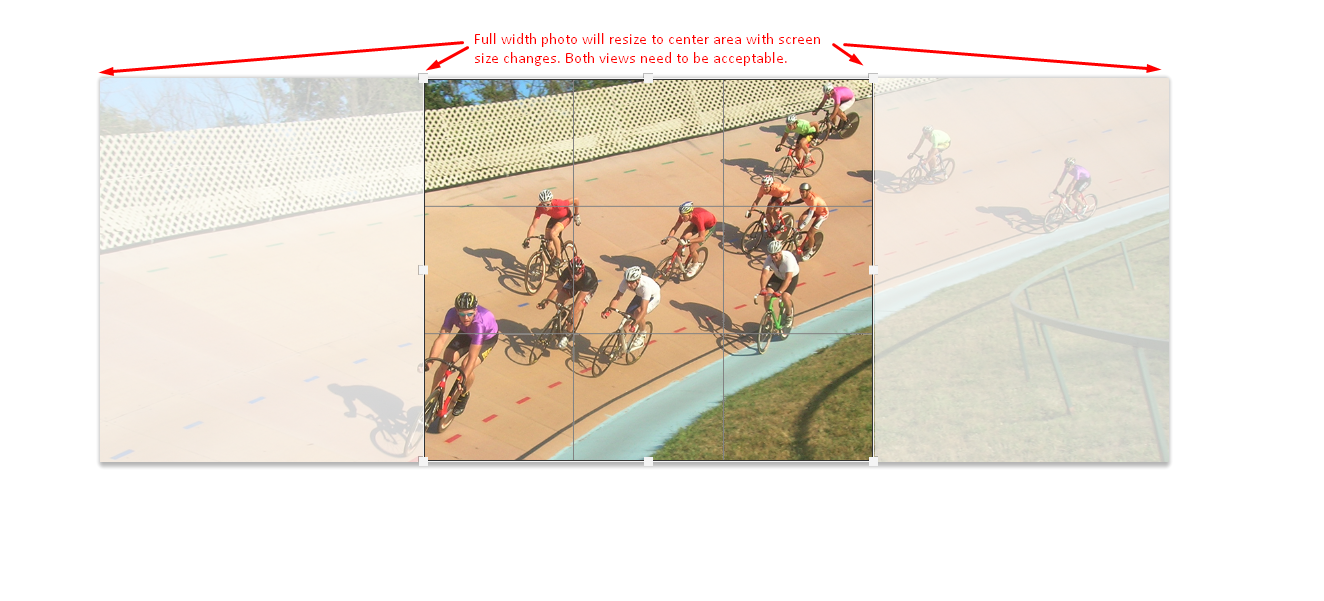
Banner photo needs to be 575-900 px in height and the width can be variable as long as the aspect ratio is at least 3.5x1 (wxh).
The center square of the photo must be able to stand on its own along with the full width as the image will resize according to screen size.
Photo center area needs to be dark enough to allow the white text to show and be readable to someone with vision issues.
You should have 5-7 quick links per dept page to retain the design aesthetic.
Menu Pages
This template can be used for interior menu pages as well.
Standards
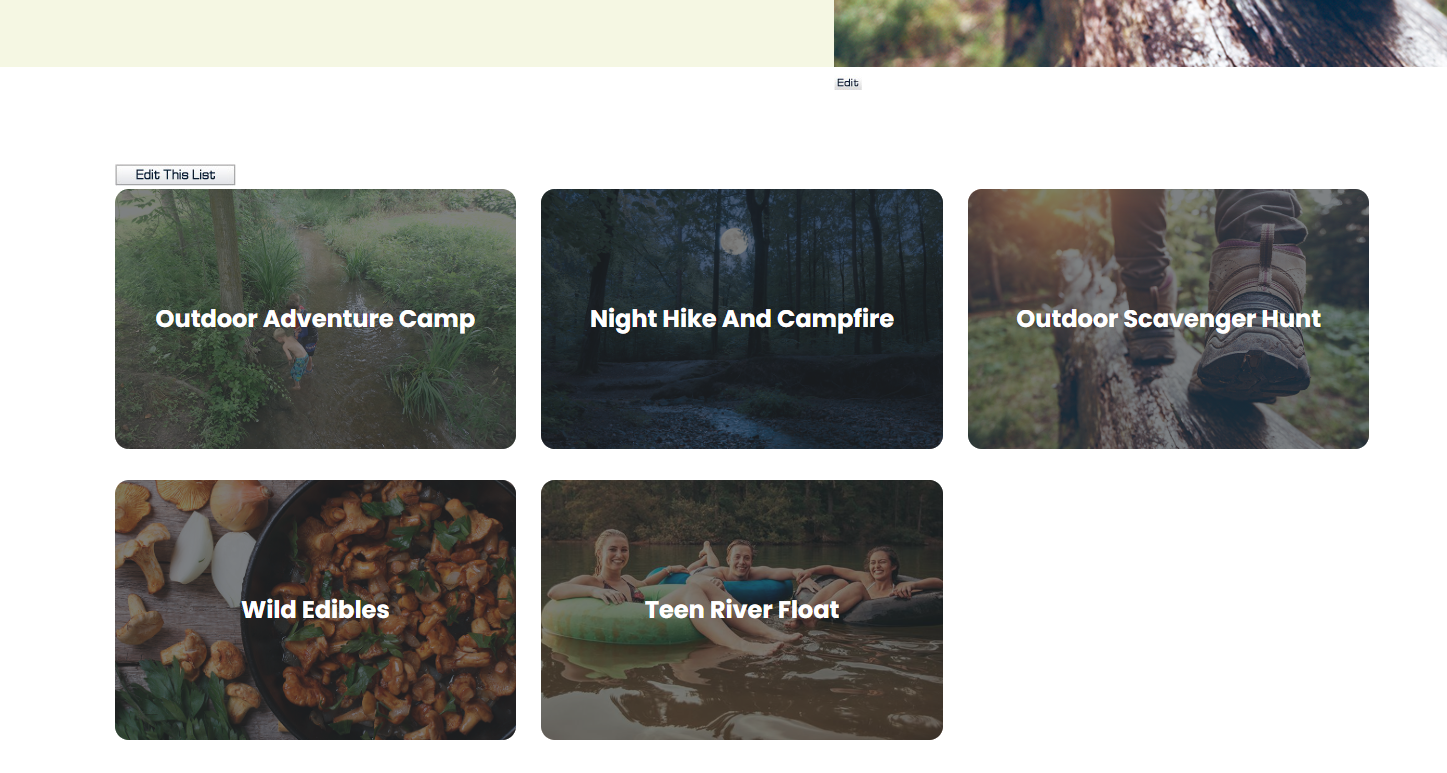
Use “permits” template
Photo size should be 399x260 px.
The page allows for up to 15 image buttons, if you need more, contact Revize to edit the template.
Interior Pages
Universal Standards for Interior Pages
Standards
Banner photo must be 575 px in height and the width is variable. The center will always be on display and the photo resizes according to screen size.
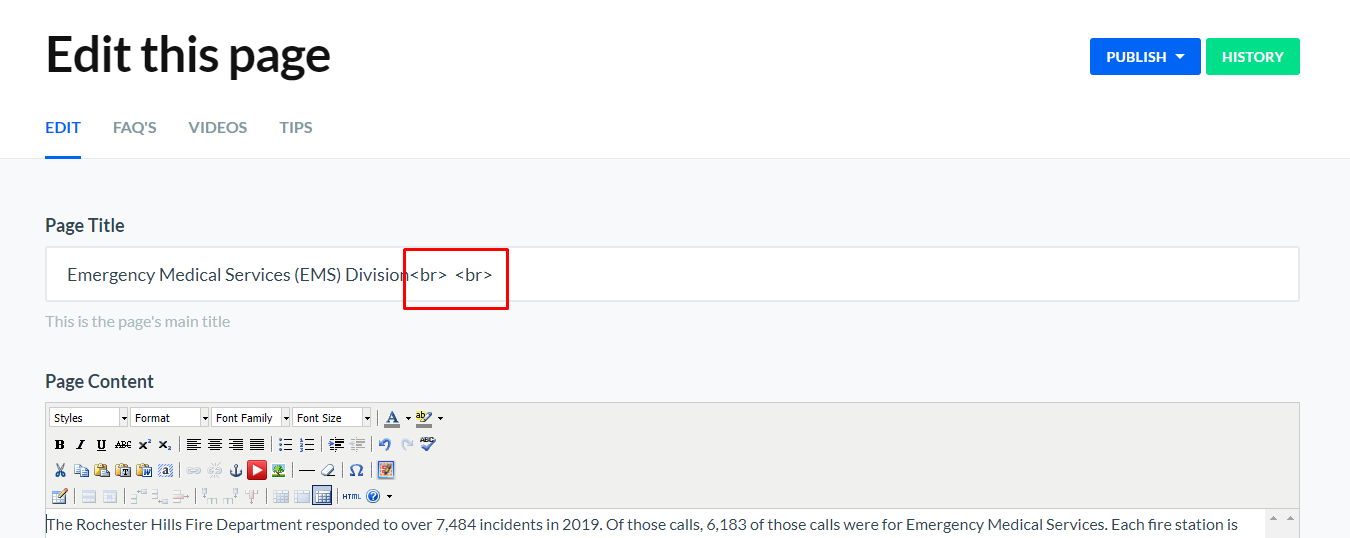
Page title needs to be followed with <br> <br> (space between the > <)in the Edit Center Area menu. This gives the additional blank line between the title and the search bar.
Do not add a Published Date to the page.
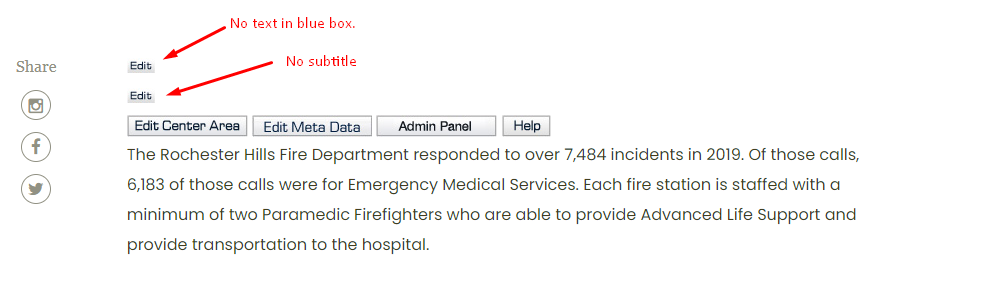
Do not add any text in the Blue Box unless it is absolutely necessary. We only use that space for emergency alerts or irregular closings.
Do not add a subtitle
Interior Pages- Freeform
The standard interior pages use the “freeform” template which has the left navigation on the side and text to the right. This template is used for most normal content pages.
Interior Pages- Contact Us
Standards
Uses “staff directory” template
Modify the template so the only columns are First Name, Last Name, Profession, and Email
In the Center Area of the page, use the following format for contact information
Contact Us (bold, font size 3(12 pt))
248-656-4673 (linked using tel:, dashes between sections)
parks@rochesterhills.org (linked using mailto:)
Was this article helpful?
That’s Great!
Thank you for your feedback
Sorry! We couldn't be helpful
Thank you for your feedback
Feedback sent
We appreciate your effort and will try to fix the article