CUMMINS INSITE LITE
Monthly Updates
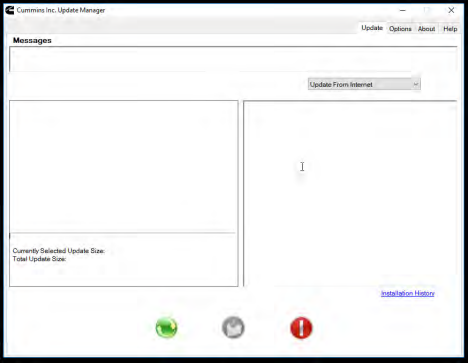
Open Update Manager tool on desktop monthly and check for updates. Click green circle with arrows. Do repeatedly until there are no more updates.
Page | 1
CUMMINS INSITE LITE
Reactivate Licenses
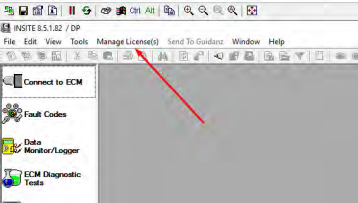
License may deactivate if not used for several months. If you get a notification that the license is inactive, clickon Manage License(s)
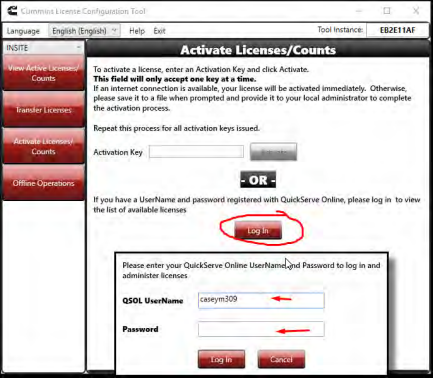
Click Activate Licenses/Counts and log in using Margaret’s QuickServe username and password (in Dashlane). Reactivate licenses.
Page | 2
Was this article helpful?
That’s Great!
Thank you for your feedback
Sorry! We couldn't be helpful
Thank you for your feedback
Feedback sent
We appreciate your effort and will try to fix the article