** Screenshots did not translate perfectly over to Freshdesk, https://docs.google.com/document/d/17KKdjQZZYq8jJL__3L0T5HHRs9pIA8iF/edit and find ACH Transfer File Conversion file for a better version of this KB **
Preparing the ACH Payroll Files For Transfer To The Bank
Open the “ACHTrans” folder and double-click the “Payroll Files” shortcut.
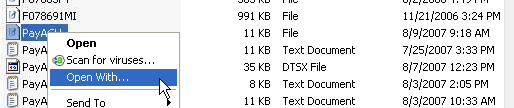
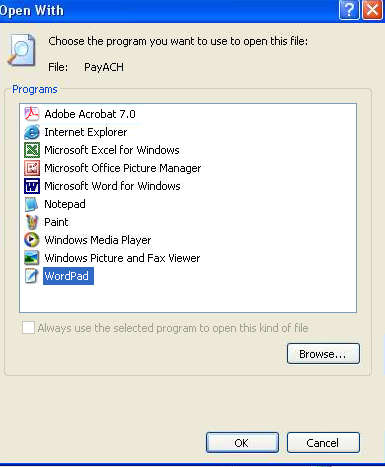
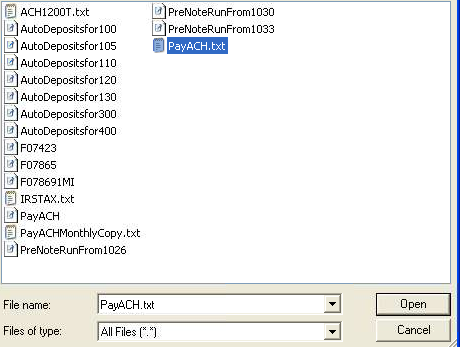
In the list of files find “PayACH”, right-click it, and select “Open / Open With”. Scroll down the list of programs and select “WordPad”. Click “OK”:
Once the file is opened in WordPad:
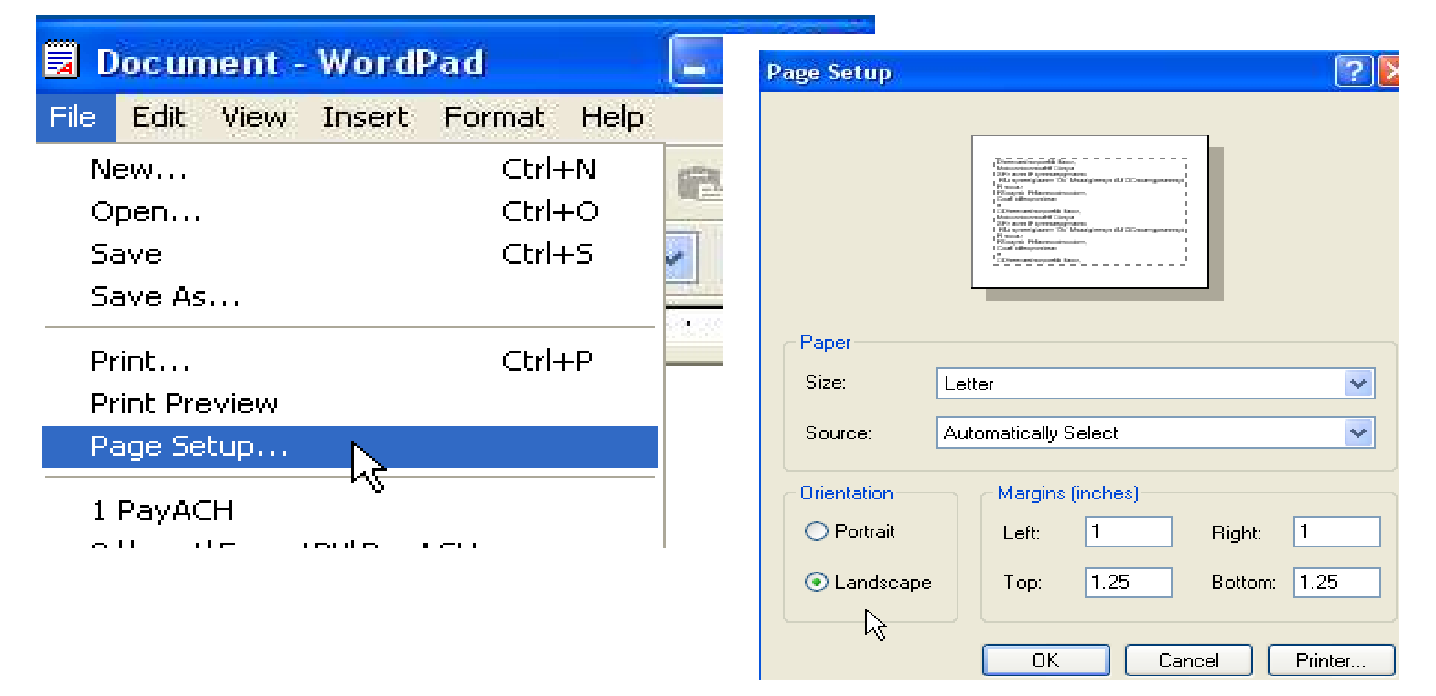
Print a copy in “Landscape” mode (you’ll need to first click on
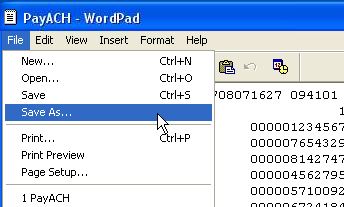
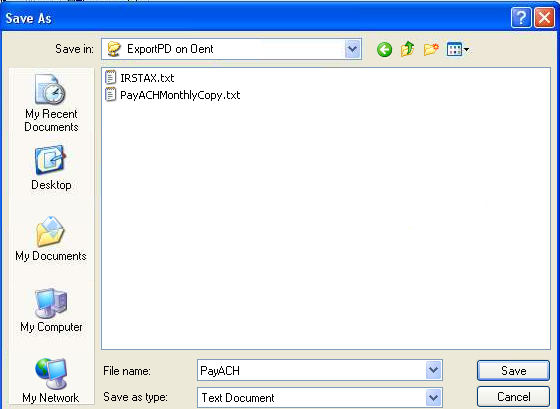
“File/Page Setup” and then select “Landscape”)Click “File”, “Save As”, and type in the file name “CYI12000.”
(BE SURE TO TYPE IN A PERIOD
AFTER THE LAST ZERO AS SHOWN).Verify that the “Save in” location is “ExportPD on OENT”.
Verify “Save as type” is “Text Document”.
Click “Save”:

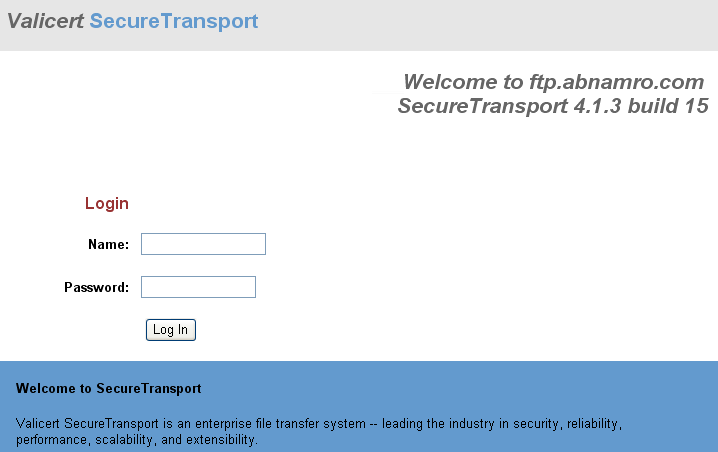
In the “ACHTrans” program group double-click the “Bank FTP Site-Transfer Files” link and it will open Internet Explorer with the Valicert SecureTransport login screen displayed:
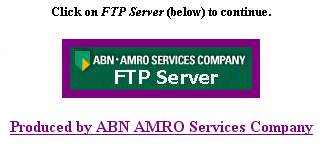
Login with the name & password provided by the bank, and then click on the FTP Server box:
The “Welcome to SecureTransport file upload screen should now be displayed:
Click the “Browse” button and in the “File name” box type in \\oent\exportpd and press “Enter”:
You should now see the “CYI12000”, highlight it, and click “Open”.
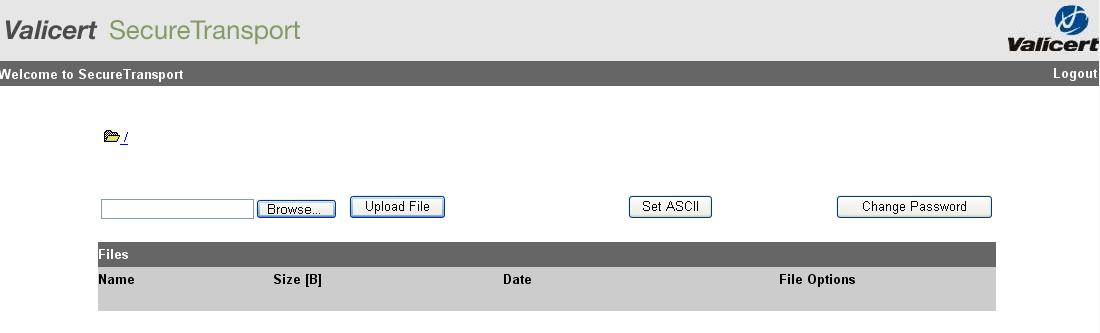
The file name should now appear to the left of the Browse button. Click the “Upload File” button.
After several seconds you should see the status “done” at the bottom of the browser window. In the upper right-hand corner of the screen click the “Logout” link.
If there are any questions or problems that need to be handled by the bank call:
Charles Boyd
312.904.5428
Was this article helpful?
That’s Great!
Thank you for your feedback
Sorry! We couldn't be helpful
Thank you for your feedback
Feedback sent
We appreciate your effort and will try to fix the article