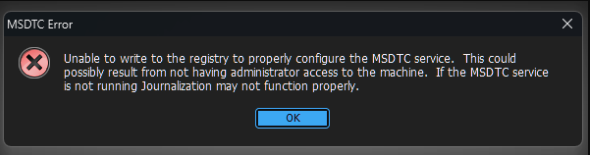
Equalizer Error – MSDTC Service
Unable to write to the registry to properly configure the MSDTC Service
02/14/2023
Per BS&A Support:
That actually is usually caused by a windows update. The fix for that is a 1 time run of any of
the .Net applications on an affected pc by right clicking on one of the app icons and run as
admin. Obviously without admin rights someone with rights will have to do this. Once ran you
may still get an error when the app opens but if you then close the app and open normally the
error should be gone. Again this one needs to be run 1 time (not for every app on a pc) on a
single app per affected PC and your good.
Was this article helpful?
That’s Great!
Thank you for your feedback
Sorry! We couldn't be helpful
Thank you for your feedback
Feedback sent
We appreciate your effort and will try to fix the article