
MIS Department Policy & Procedure
Barracuda Backup Failure
When an overnight backup fails, sign into the Cloud interface and go to . . .
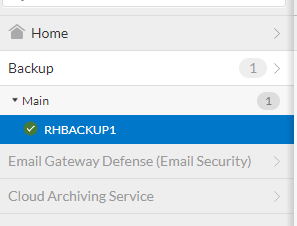
Main > RHBACKUP1 (left side navigation)
Choose Backup > Schedules from top navigation menu

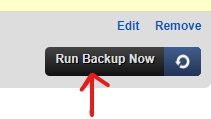
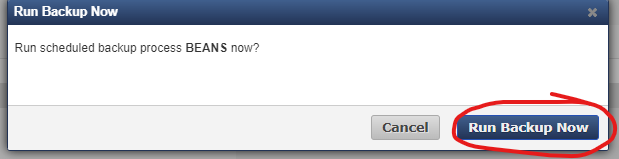
Find the failed backup in the list and click Run Backup Now on far right, then Run Backup Now and Ok
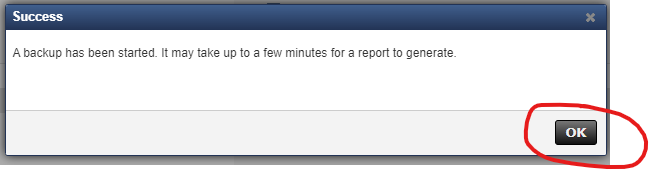
Then go to Reports > Backup in top navigation menu to see the success or failure of the backup
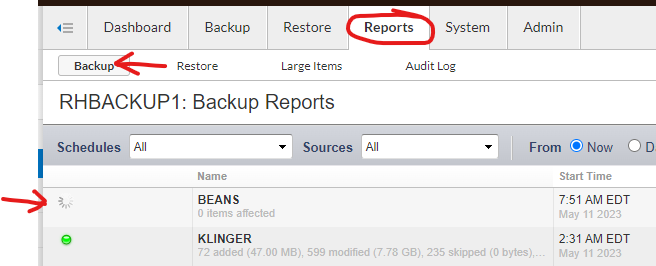
If the backup fails again, you can get some insight by clicking Details on the far right

Multiple Backup Failures
If a backup fails repeatedly, here are some troubleshooting options:
Restart the Barracuda service on the server the backup failed on
Uninstall and reinstall the Barracuda client on the server the backup failed on
Restart the server that is failing to backup
Rebuild the backup schedule
Was this article helpful?
That’s Great!
Thank you for your feedback
Sorry! We couldn't be helpful
Thank you for your feedback
Feedback sent
We appreciate your effort and will try to fix the article