
MIS Department Policy & Procedure
Introduction
We received a new Barracuda on-prem unit on 11/10/23. The details below are for that unit.
Details
Serial Number: BAR-BS-2550511
Linking Code: 3f7f6e4f
Chat started with Barracuda support to move the data from the old device to the new one.
All data migrated, old Barracuda was sent back and we received credit for the trade-in.
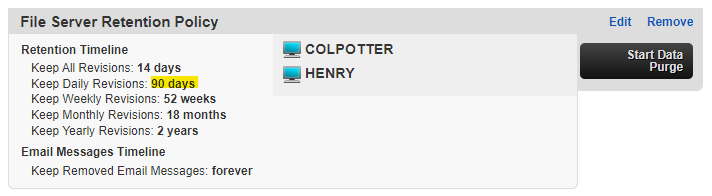
The file servers (COLPOTTER and HENRY) now have the following retention schedule:
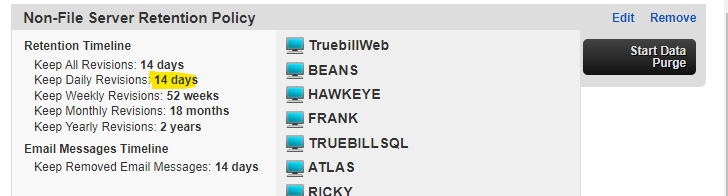
The non-file servers have the following retention schedule:
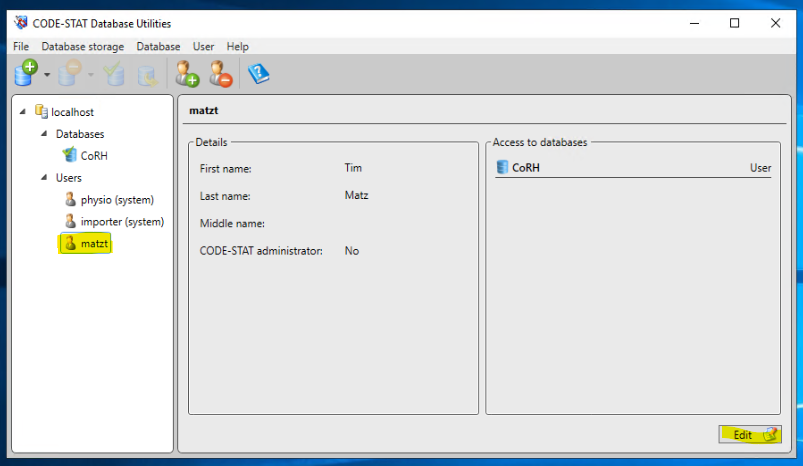
Passwords can be changed for users by using the Database Utilities that were installed with the software.
Click on a user’s name and then “Edit” to change the password. It is recommended that this is done on the user’s machine, so they can choose their own password:
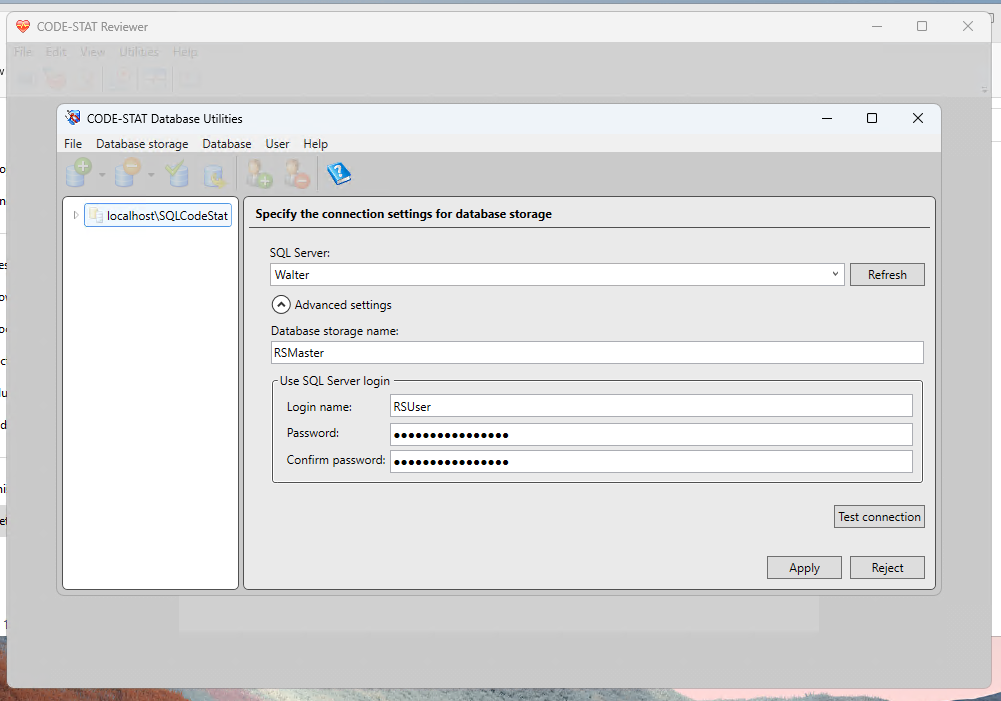
When installing CODE-STAT on a new computer, you will need to set up a database connection via the user’s new computer. Use the following settings (RSUser password is in Dashlane):
Use the following serial and product key when installing to a new computer:
Serial Number: 01069460
Product Key: 4708-00C4-0000-49FC-45DB
Was this article helpful?
That’s Great!
Thank you for your feedback
Sorry! We couldn't be helpful
Thank you for your feedback
Feedback sent
We appreciate your effort and will try to fix the article