
MIS Department Policy & Procedure
Setting Up Emails from EQ Permits
In EQ Permits the system has the ability to send email.
It does this directly through the Gmail SMTP server as a relay by passing it through a SMTP service on Frank from BS&A.
The settings are as follows:
In Program Setup on the Program Settings tab
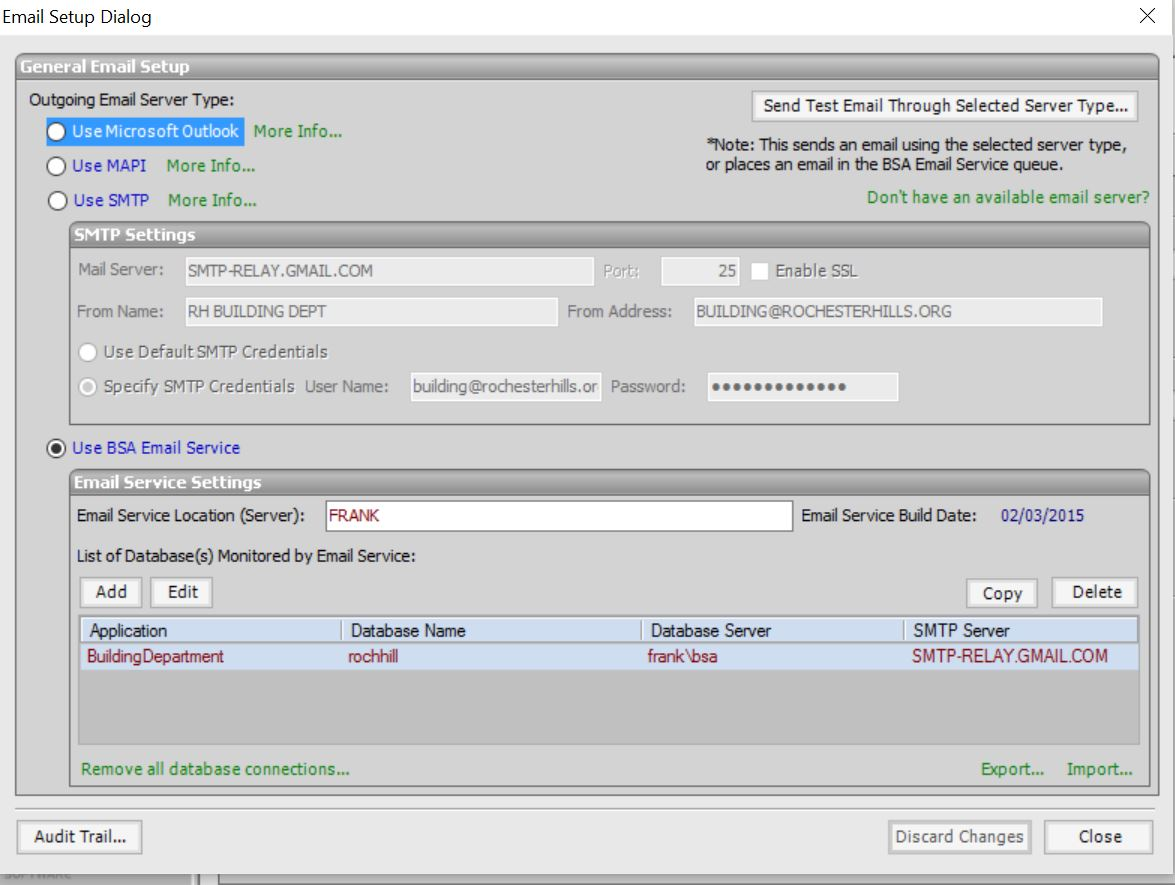
Click the Email Setup button and set the options as
Select Use BSA Email Service
Email Service Locations (Server): FRANK
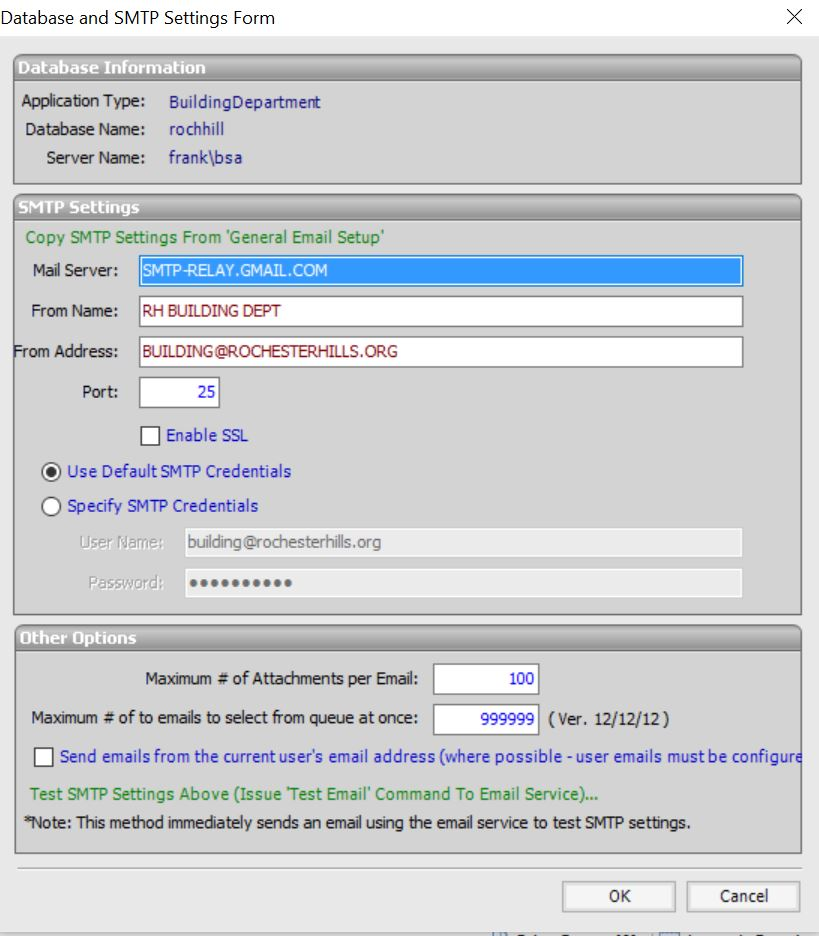
Add a Monitored Database and configure as follows:
Mail Server: SMTP-RELAY.GMAIL.COM
From Name: RH BUILDING DEPT
From Address: building@rochesterhills.org
Port: 25
Enable SSL UNchecked
Select Use Default SMTP Credentials
See the two photos below for screenshots of the settings.
The password for the sending email account never has to be changed for this email setup if the account password changes.
There is a SMTP Relay setting in the Google Admin panel for Gmail where we have configured our main internet IP address 96.27.136.142 as a trusted email relay with no authentication required. If our Internet provider changes we have to update the trusted address.
Look in the Admin Panel under Advanced Settings for Gmail. Scroll down to Routing/SMTP Relay Service
Click Edit and change the IP address if needed.
Was this article helpful?
That’s Great!
Thank you for your feedback
Sorry! We couldn't be helpful
Thank you for your feedback
Feedback sent
We appreciate your effort and will try to fix the article